

Wireless Security Camera Set Up
Wireless home protection has become a top priority for modern homeowners, renters, and families looking for smarter ways to secure their property. A wireless security camera offers an easy, cost-effective solution for monitoring your home without the complexity of traditional wired systems. As crime prevention and remote property management become increasingly important, more people are turning to wireless security cameras for reliable, real-time surveillance.
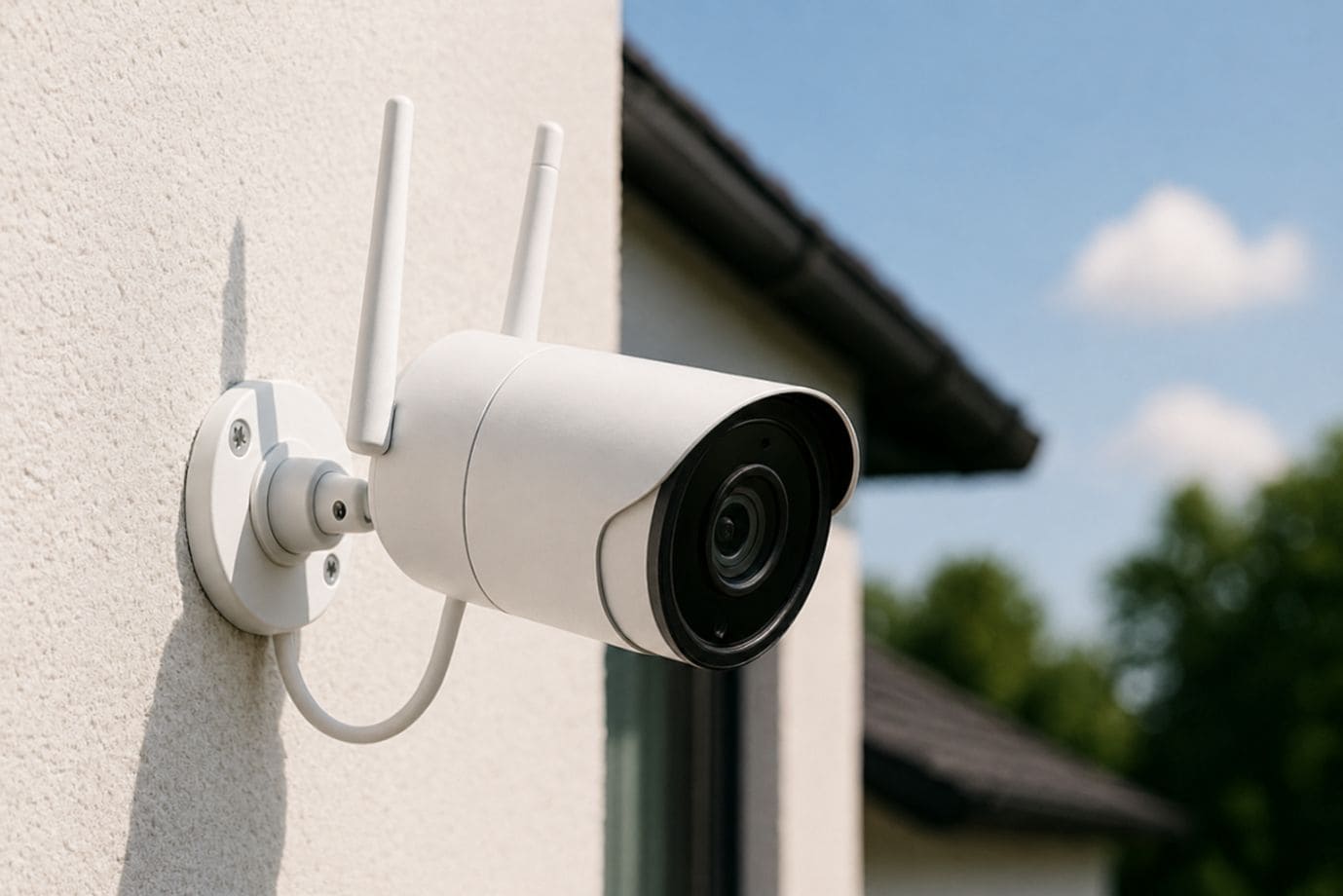
Unlike wired systems that often require professional installation, drilling and extensive cabling, a wireless security camera setup provides greater flexibility, faster installation and significantly lower upfront costs. Whether you want to monitor your front door, backyard, apartment or vacation home, wireless cameras allow users to access live footage, receive motion alerts and manage security settings directly from their smartphones.
For renters and homeowners, wireless security camera installation is especially appealing because cameras can be relocated or expanded as security needs change. In this blog, you’ll learn everything from choosing the right equipment to camera placement, Wi-Fi connection and security optimization, making your wireless security camera setup simple, efficient and highly effective.
What You Need before Setting up a Wireless Security Camera
Before beginning to set up your wireless security camera, proper planning is essential to ensure a smooth and efficient set up. Whether you’re looking for the easiest security cameras to install or planning a more advanced NVR camera system setup, having the right tools and understanding your options will make your set up process far more successful.
1. Essential Equipment Checklist
To successfully install wireless security camera system, you’ll need:
-
- Wireless security camera device for your chosen coverage areas
- A stable and secure Wi-Fi network for uninterrupted connectivity
- A smartphone or mobile app for remote access and set up
- Reliable power sources, such as outlets or solar panels
- Mounting brackets, screws and tools for proper home security camera installation
- SD cards or cloud subscriptions for recording and storage
2. Understanding Camera Types
Choosing the right camera model is critical for effective set up:
-
- Indoor cameras for monitoring living spaces and entryways
- Outdoor weatherproof cameras, including bullet camera models for perimeter security
- Doorbell cameras for front-door surveillance
- Pan-tilt-zoom cameras for advanced coverage and flexibility
Understanding these essentials helps simplify how to install wireless camera systems and ensures you can confidently set it up at home or office with maximum security and convenience.
Step-by-Step Wireless Security Camera Set up Process
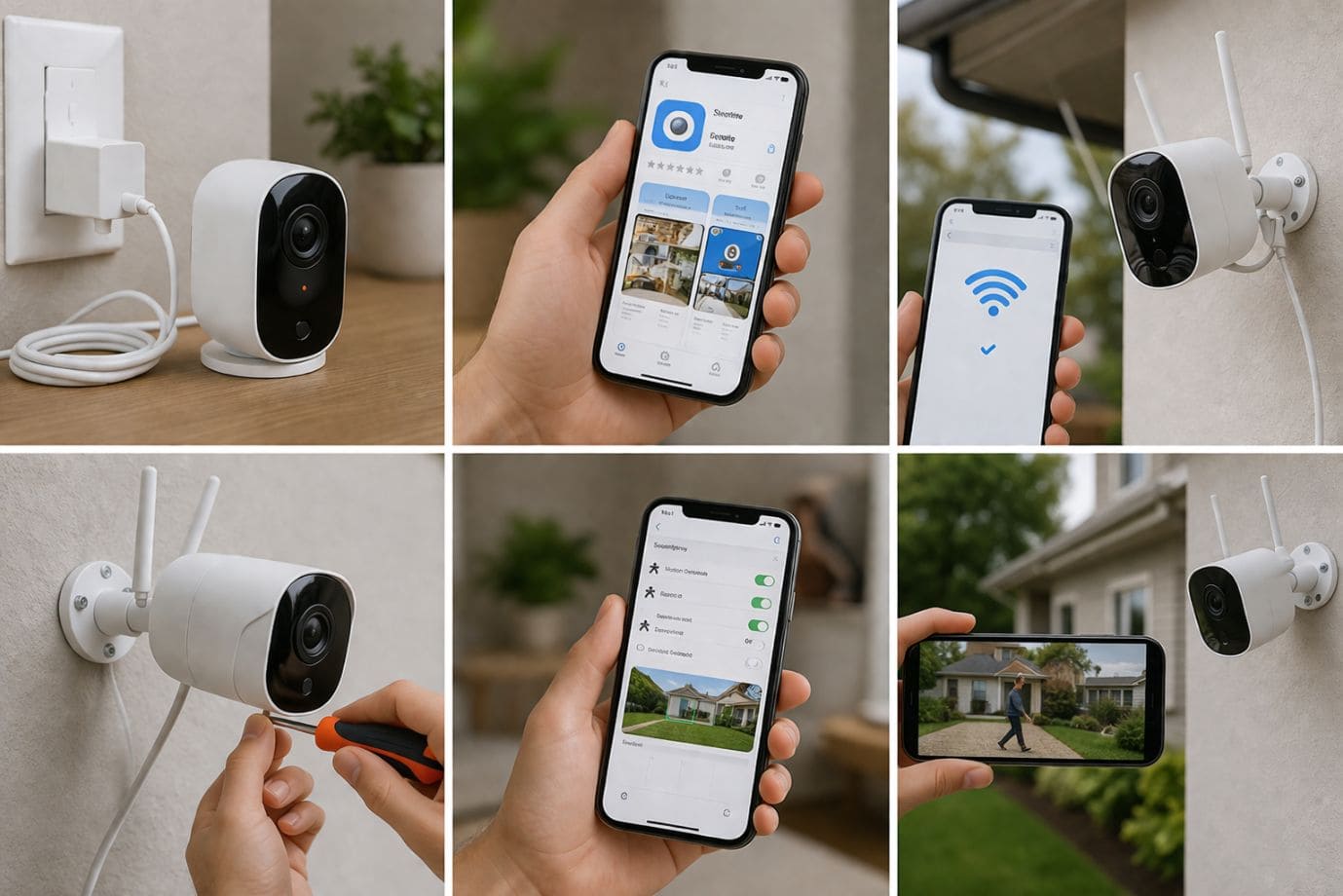
Completing a successful wireless security camera installation doesn’t have to be complicated. With the right preparation and a systematic approach, these cameras can be set up at home quickly. Whether you’re using battery powered wireless security cameras, a bullet camera or a more advanced NVR camera system, following these steps will help ensure reliable protection.
-
Charge or Power Your Camera
Before you set up camera, ensure each unit has adequate power:
-
- Fully charge battery powered wireless security cameras before installation
- Position solar panels properly if using solar-powered models
- For plug-in cameras, verify nearby outlet access and weatherproof cable management for outdoor use
Reliable power is essential for uninterrupted cam setup and long-term performance.
-
Download the Manufacturer App
-
- Download the official app
- Create your user account
- Register your device
- Install firmware updates immediately for security patches and performance improvements
This step is crucial for smooth wireless security camera operation and remote management.
-
Connect Camera to Wi-Fi
A strong wireless connection is the backbone of effective set up.
-
- Use 2.4GHz networks for better range in most home installations
- Use 5GHz only if your camera supports it and placement is close to the router
- Enter your Wi-Fi credentials carefully during setup
- Troubleshoot by resetting the camera or moving closer to the router if connection fails
Stable internet is critical when learning how to install wireless camera systems properly.
-
Mount the Camera
Proper placement is one of the most important parts of set up.
-
- Temporarily position your camera before permanent mounting
- Test the viewing angle using the mobile app
- Securely drill mounting hardware into walls or ceilings
- Adjust height and angles to minimize blind spots
For outdoor perimeter defense, bullet camera models are often ideal, while PTZ camera works best for larger areas requiring flexible coverage.
-
Configure Detection Settings
Customizing your security camera setup for home enhances efficiency and reduces false alarms.
-
- Set motion detection zones
- Adjust sensitivity levels
- Enable push notifications
- Schedule recording times based on activity
This step helps optimize your set up strategy while conserving storage and battery life.
-
Test Camera Performance
Once your wireless security camera is installed, thorough testing is essential.
-
- Verify live video feed quality
- Check night vision performance
- Test mobile alerts
- Confirm cloud or SD card recording functionality
Testing ensures your wireless security camera installation process is complete and fully operational.
By carefully following these steps, homeowners and renters can achieve reliable security camera setup, whether using basic models or the advanced cameras. A properly executed set up provides peace of mind, better property protection and smarter home surveillance.
Securing Your Wireless Camera Network
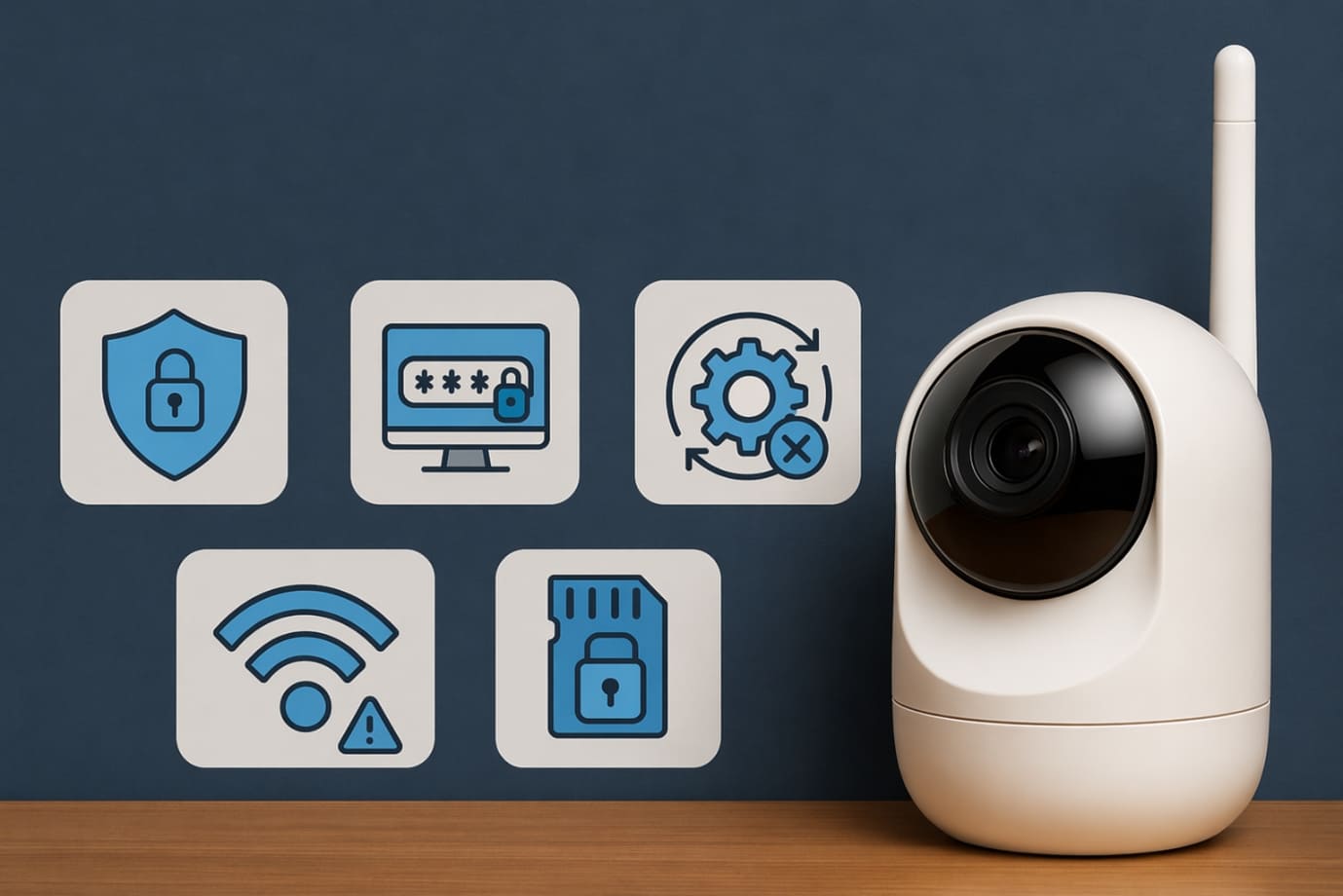
Installing a wireless security camera is only the first step, protecting your camera network from cyber threats is equally important. Whether you use battery powered wireless security cameras, a bullet camera or multiple devices throughout your property, strong digital security ensures your surveillance system remains private, secure and protected from hackers.
1. Cybersecurity Essentials
When you install wireless security camera systems, always prioritize network security with these best practices:
-
- Change all default usernames and passwords immediately after you set up camera devices
- Use strong, unique passwords that combine letters, numbers and symbols
- Enable two-factor authentication (2FA) through the camera’s mobile app for added protection
- Regularly update firmware to patch vulnerabilities and improve performance
- Secure your home Wi-Fi with WPA3 or WPA2 encryption
- Create a separate guest network exclusively for your wireless security camera devices to isolate them from personal devices
These cybersecurity measures significantly reduce the risk of unauthorized access to your security feeds.
2. Privacy Considerations
Responsible use of a wireless security camera system also involves protecting the privacy of others.
-
- Position cameras carefully to avoid recording neighbouring properties or private spaces
- Use privacy zone settings available in many modern battery powered wireless security cameras
- Ensure your bullet camera or outdoor units focus only on your property boundaries
- Research local laws and regulations regarding residential video surveillance
Privacy compliance not only prevents legal complications but also promotes ethical security practices.
A secure network combined with privacy-conscious placement ensures your wireless security camera system delivers maximum protection while safeguarding both your digital security and personal privacy. Properly securing your cameras transforms a simple surveillance solution into a reliable, long-term home defense system.
Troubleshooting Common Wireless Security Camera Set up Problems
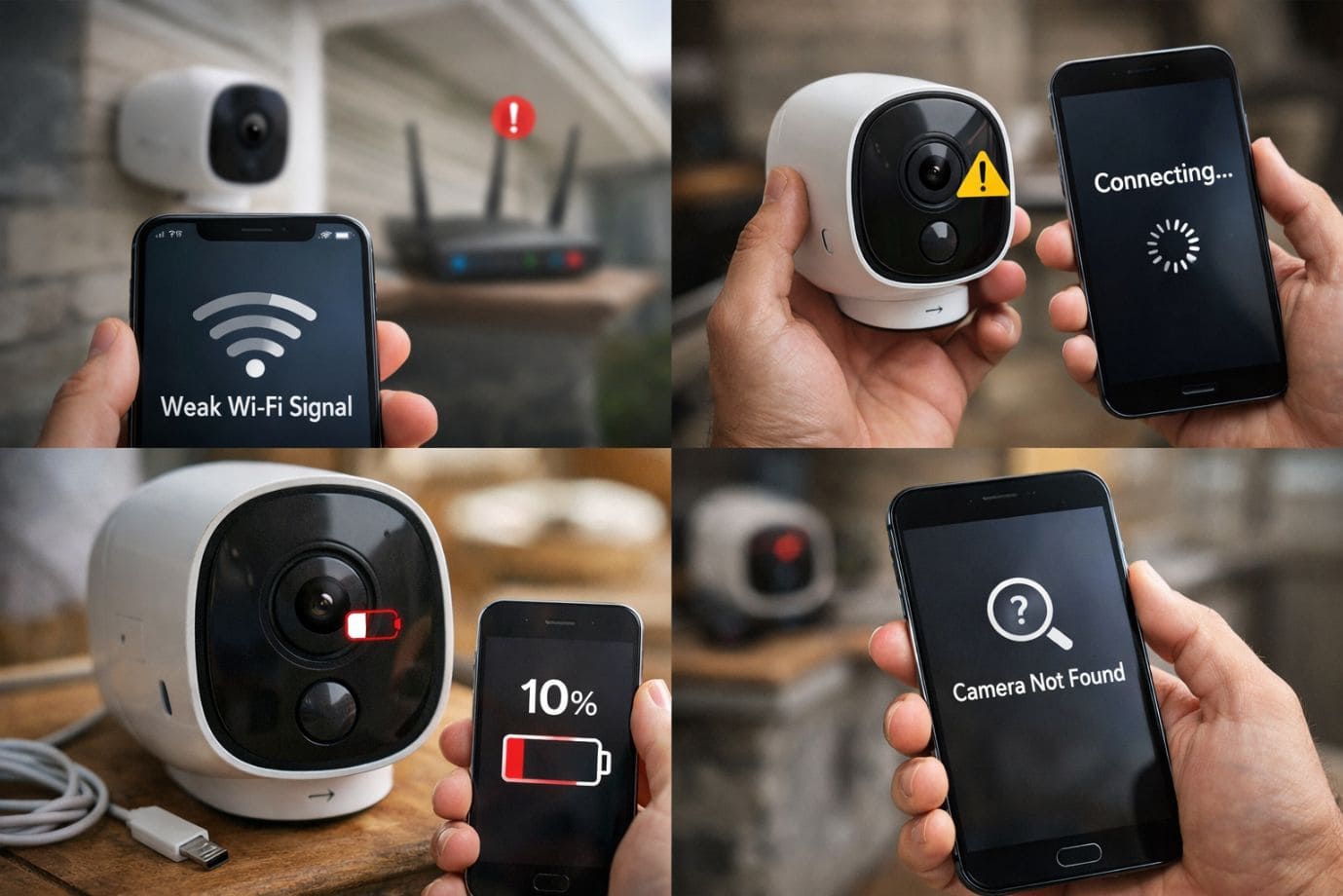
Even the best wireless security camera systems can occasionally experience technical issues after installation. Whether you use battery powered wireless security cameras, a fixed bullet camera or multiple smart surveillance devices, understanding common problems and their solutions can help maintain consistent security performance. Proper troubleshooting ensures your system continues to operate effectively long after you install wireless security camera devices.
-
Common Issues
Several challenges may arise during or after you set up camera systems:
-
- Weak Wi-Fi Signal: Poor connectivity can cause delayed video feeds, buffering or camera disconnections, especially for outdoor installations far from your router
- Battery Drain: Battery powered wireless security cameras may lose charge quickly if motion detection is overly sensitive or recording frequency is too high
- False Alerts: Wind, passing vehicles, pets or moving shadows can trigger unnecessary notifications
- App Syncing Issues: Mobile apps may fail to display live feeds or push notifications due to outdated software or account connection errors
- Cloud Storage Failures: Subscription issues, internet disruptions or storage misconfigurations may interrupt video recording backups
-
Effective Solutions
Fortunately, most wireless security camera issues can be resolved quickly:
-
- Install WiFi extenders or mesh network boosters to improve signal strength in weak areas
- Reposition your camera or other devices closer to the router for stronger connectivity
- Regularly update camera firmware and mobile apps to improve performance and security
- Adjust motion sensitivity settings to reduce false alerts
- Optimize activity zones to focus only on important surveillance areas
- Monitor battery health and reduce excessive recording schedules for longer life
- Verify cloud subscription status and storage settings after you install wireless security camera units
Routine maintenance and system adjustments are essential for reliable operation. By proactively troubleshooting your wireless security camera network, homeowners can improve video reliability, reduce downtime and maximize long-term security coverage. A properly maintained surveillance system ensures your property remains protected while delivering the convenience and peace of mind modern wireless security solutions are designed to provide.
Maintenance Tips for Wireless Security Cameras
A successful wireless security camera system requires ongoing maintenance to ensure reliable performance and long-term protection. Even the easiest security cameras need regular upkeep after your initial camera setup.
To keep your security camera setup functioning at its best:
- Clean camera lenses monthly to remove dust, dirt, rain spots or spider webs that may reduce video clarity
- Test mobile alerts and motion detection regularly to confirm your cam setup remains responsive
- Replace or recharge batteries before power levels become critical
- Review cloud subscriptions, SD cards or local storage to ensure recording capacity remains sufficient
- Perform seasonal weather inspections, especially for outdoor bullet camera systems exposed to rain, heat or snow
- Regularly update camera firmware and mobile applications to improve security and functionality
Consistent maintenance after you install wireless security camera systems ensures uninterrupted surveillance and minimizes costly repairs. A well-maintained security set up delivers better video quality, stronger cybersecurity and dependable property protection year-round.
By making maintenance a regular part of your set up strategy, homeowners can maximize the effectiveness of their investment while ensuring their wireless security camera network continues to safeguard their property efficiently.
FAQs
Q1. Are battery powered wireless security cameras reliable for long-term use?
- Yes, battery powered wireless security cameras are highly reliable when properly maintained. Regular battery replacement, firmware updates and optimized settings help ensure strong long-term performance for your security camera setup for home.
Q2. Where should I place a bullet camera for maximum security?
- A bullet camera is best installed near entry points, driveways, garages or backyards. Proper positioning during set up process helps reduce blind spots and improves outdoor perimeter protection.
Q3. What Wi-Fi connection is best for wireless security camera performance?
- For most wireless security camera systems, a 2.4GHz network provides better range, while 5GHz may offer faster speeds at shorter distances. Stable internet is essential for smooth set up and uninterrupted monitoring.
Q4. What are common problems during security camera setup?
- Common security camera set up issues includes weak Wi-Fi signals, false alerts, battery drain, syncing problems and storage failures. These can usually be fixed through firmware updates, camera repositioning or network improvements.
Q5. How often should I maintain my wireless security camera system?
- Monthly lens cleaning, software updates, battery checks and storage reviews are essential for maintaining your camera setup. Regular upkeep ensures your wireless security camera system remains effective year-round.
Conclusion
Investing in a wireless security camera system is one of the most practical and cost-effective ways to enhance modern home protection. Compared to traditional wired systems, wireless security cameras offers significant savings through reduced labour costs, easier DIY deployment and flexible expansion options. Whether you choose battery powered wireless security cameras, a durable bullet camera or advanced solutions like PTZ camera or NVR camera system setup, wireless systems provide homeowners and renters with scalable protection tailored to their evolving security needs.
One of the greatest advantages of modern camera setup solutions is their simplicity. With many of the easiest security cameras to install, users can quickly set up camera devices and optimize them without requiring extensive technical expertise. As your security needs grow, you can easily add more devices, improve coverage and set up surveillance camera at home with minimal disruption.
By following the proper steps to install wireless security camera systems, users gain remote monitoring, improved safety and greater peace of mind. However, if your security camera setup is unsuccessful despite carefully following all recommended steps, you can contact the manufacturer’s official support team for assistance. For faster troubleshooting and expert guidance, you may also reach out to our dedicated support team through the support number provided on our Homepage for immediate solutions.
A properly maintained wireless security camera system delivers reliable, long-term security for any property.
 Call +1-865-505-2726